
Claude Code In Action
Published:
1. What is Claude Code?
How Coding Assisstants Works
When you give coding assistant a task, like fixing a bug based on an error message, it follows a process similar to how a human developer would approach the problem:
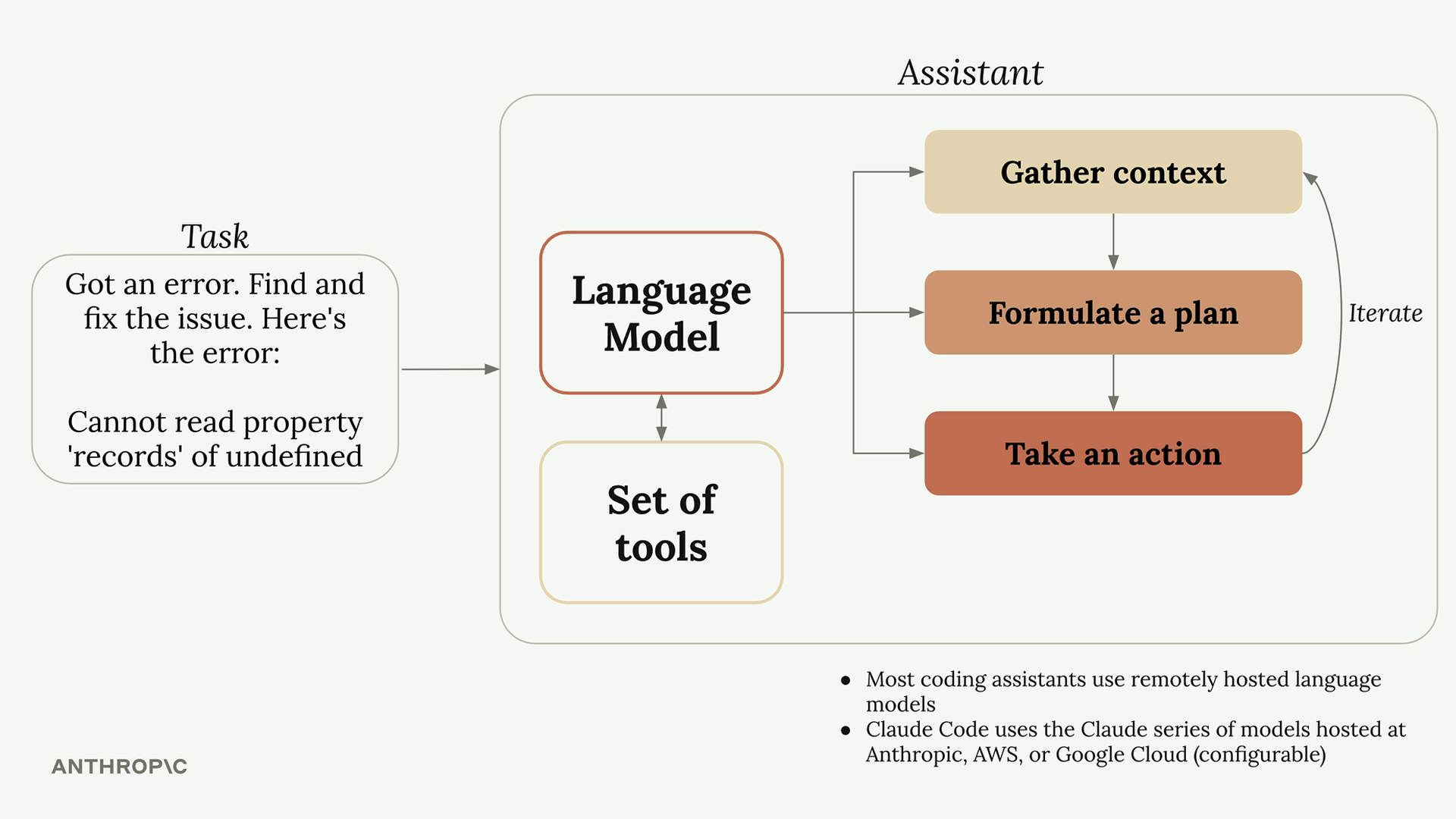
- Gather Context - Understanding what the error refers to, which of parts in codebase is affected, and what files are relevant
- Formulate a plan - Deciding hwo to solve the issue, such as changing code and test to verify the fix
- Take action - Implementing the solution by updating files and running commands.
How Tool Use Works
Language models by themselves can only process text and return text. That means they cannot actually read files or run commands. If you ask a standalone language model to read a file, it will tell you it doesn’t have that capability.
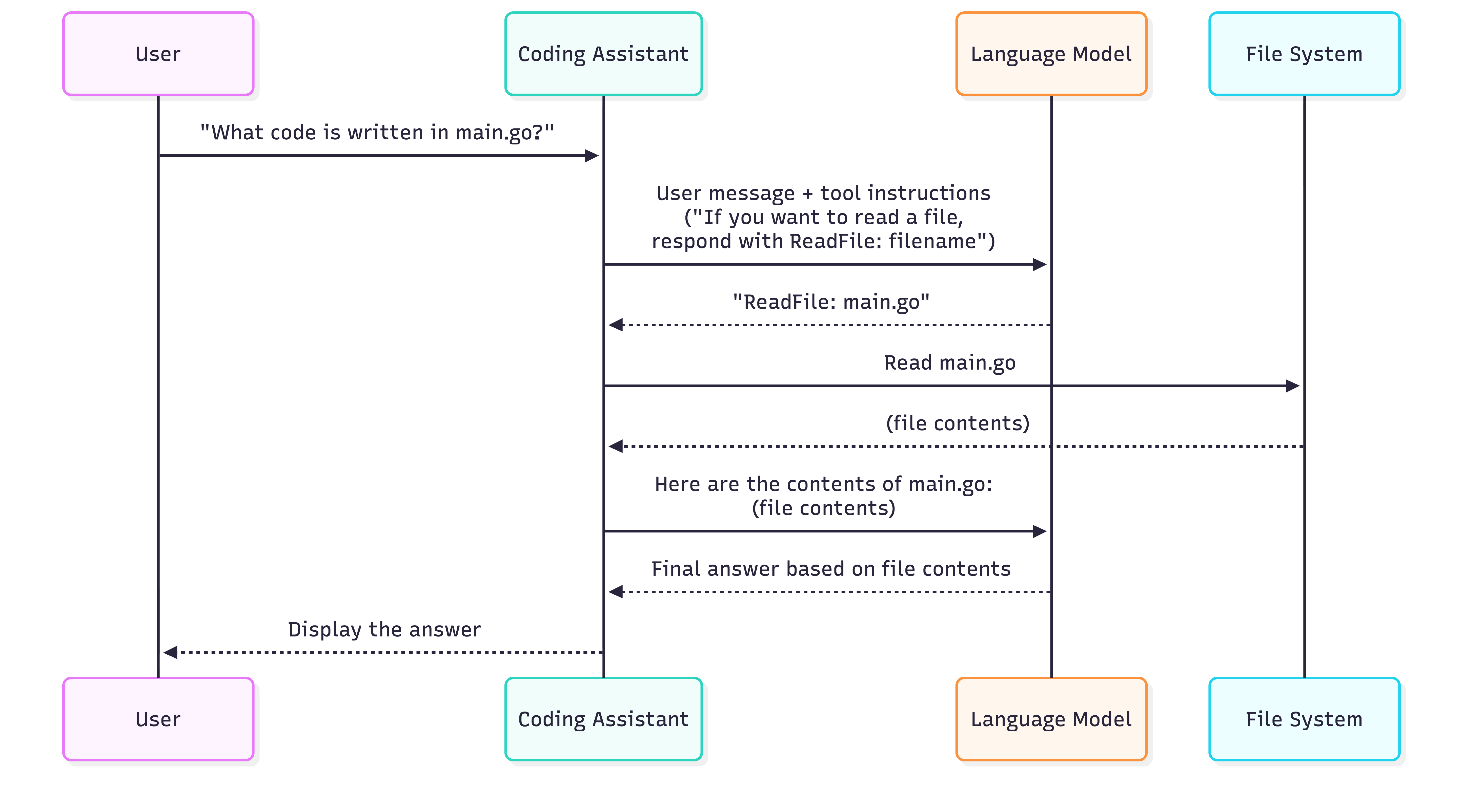
Coding assistant solve this problem by using tool use:
- You ask: “What code is written in the main.go file?”
- The coding assistant adds tool instructions to your request
- The language model responds: “ReadFile: main.go”
- The coding assistant reads the actual file and sends its contents back to the model
- The language model provides a final answer based on the file contents
Getting hands on
1. Adding context
The /init command
- Scan your codebase
- Creates a summary
- Writes the summary to the CLAUDE.md file
- This file is include in very request
CLAUDE.md files Locations

2. Making changes
Using Screenshots for Precise Communication
Taking a screenshot and sending it to Claude helps it understand exactly what you’re referring to — simply paste the image and ask Claude to make the changes you need.
Thinking and Planning mode
Planning mode: For more complex tasks that require extensive research across your codebase, you can enable Planning Mode. This feature makes Claude do thorough exploration of your project before implementing changes.
Claude will:
- Read more files in your project
- Create a detailed implementation plan
- Show you exactly what it intends to do
- Wait for your approval before proceeding
Thinking mode: Claude offers different levels of reasoning through “thinking” modes. These allow Claude to spend more time reasoning about complex problems before providing solutions.
The available thinking modes include:
- “Think” - Basic reasoning
- “Think more” - Extended reasoning
- “Think a lot” - Comprehensive reasoning
- “Think longer” - Extended time reasoning
- “Ultrathink” - Maximum reasoning capability
Each mode gives Claude progressively more tokens to work with, allowing for deeper analysis of challenging problems.
When to use Planning and Thinking: Planning Mode is best for:
- Tasks requiring broad understanding of your codebase
- Multi-step implementations
- Changes that affect multiple files or components
Thinking Mode is best for:
- Complex logic problems
- Debugging difficult issues
- Algorithmic challenges